
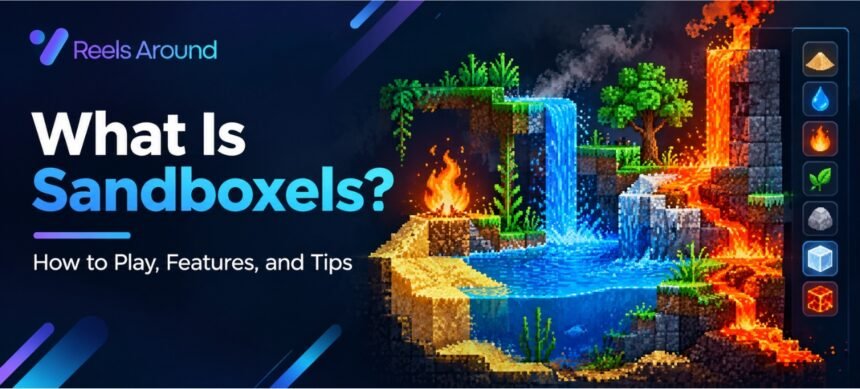

Have you ever wondered what happens when fire touches water, lava meets ice, or plants grow in a world made of sand? Sandboxels lets you explore these questions in a fun and creative way. You can mix different materials, watch unexpected reactions, and build your own tiny digital world.
Sandboxels is a browser-based falling-sand simulation game where each pixel represents a material or element. Instead of following a fixed story or completing missions, you experiment with different combinations and discover how the virtual world reacts.
Whether you enjoy science, creative games, or simple experiments, Sandboxels offers plenty to explore. This guide explains what Sandboxels is, how to play it, its main features, and practical tips for beginners.
What Is Sandboxels?
Sandboxels is a free, browser-based sandbox game that simulates materials, natural processes, and chemical-style reactions using individual pixels. Players can draw on the screen, place elements, and observe what happens when they interact. It is designed for open-ended experimentation rather than winning a traditional game.
For example, you can place sand on the screen and watch it fall, add water to create a small pool, or introduce fire to see how nearby flammable materials respond. Different elements behave in different ways, making each experiment an opportunity to learn something new.
The game belongs to the falling-sand simulation genre. These games use simple rules to create interesting results from the interaction of many small particles.
Sandboxels is especially appealing because you can start playing without learning complicated controls or completing a long tutorial.
Why Is Sandboxels Important?
Sandboxels is more than a way to pass the time. It encourages curiosity by letting players test ideas and observe results in a virtual environment.
1. It Encourages Creative Thinking
There is no single correct way to play Sandboxels. You can create landscapes, build unusual structures, or design experiments involving several materials.
For instance, you might build a small garden, add water, and introduce fire nearby to see how the environment changes. You decide what to test and how to improve your creation.
2. It Introduces Basic Science Concepts
The game can help players explore ideas related to heat, gravity, states of matter, and material interactions.
Some elements melt when heated, while others freeze, burn, flow, or change their state. These effects can make abstract science topics easier to picture.
However, Sandboxels is a simplified simulation. Its results should not be treated as exact scientific predictions or a replacement for real laboratory experiments.
3. It Supports Learning Through Experimentation
Many players learn by trying something, observing the result, and adjusting their next move. Sandboxels follows this approach naturally.
Students and teachers may use it to introduce scientific questions, while casual players can enjoy discovering surprising combinations.
4. It Offers Relaxing Gameplay
Unlike games that require fast reactions or competitive skills, Sandboxels lets you experiment at your own pace. You can spend a few minutes testing materials or much longer creating a detailed scene.
Key Features and Benefits of Sandboxels
Sandboxels combines simple controls with a wide range of materials and interactions. Here are some features that make it interesting.
1. A Wide Range of Elements
The game includes many types of materials, such as:
- Natural materials: Sand, water, stone, soil, and wood.
- Elements affected by heat: Ice, steam, fire, and lava.
- Plant-related materials: Seeds, plants, and other organic substances.
- Special materials: Additional substances with unique behaviors and interactions.
The exact selection can vary with game updates and available versions. Exploring the element menu is one of the easiest ways to discover new possibilities.
2. Real-Time Material Reactions
One of the main attractions of Sandboxels is watching materials interact. Water may cool hot substances, fire may burn combustible materials, and heat can change certain solids into liquids.
These interactions create a chain of effects. A small change in one part of the screen can affect nearby materials, making experiments more interesting than simply drawing a picture.
3. Creative World Building
You can use the available elements to create mountains, rivers, forests, volcanoes, and other scenes.
For example, start with stone to make a mountain, add soil along its base, and place seeds where you want vegetation to grow. Add water to create a river and observe how the materials interact.
Your world can be simple or detailed. There is no need to follow a preset design.
4. Easy-to-Learn Controls
Most basic actions involve selecting an element and applying it to the play area. Depending on the version, you may also find tools for adjusting brush size, changing settings, or clearing parts of the screen.
This straightforward approach makes Sandboxels accessible to new players who want to start experimenting immediately.
5. Educational Value
Sandboxels can help introduce concepts such as:
- Gravity and particle movement
- Heating and cooling
- Melting and freezing
- Combustion and material changes
- Plant growth and environmental interactions
The game works best as a starting point for questions. If a material behaves unexpectedly, try to work out which rule caused the result.
6. Open-Ended Play
Many games tell you exactly what to do next. Sandboxels gives you the freedom to choose your own experiments.
You can create a controlled test, build an imaginary environment, or simply combine elements to see what happens. This freedom gives the game value for both casual play and guided learning.
How to Play Sandboxels: A Step-by-Step Guide
Getting started is simple. Follow these steps to learn the basic controls and begin your first experiment.
Step 1: Open the Game
Visit the official Sandboxels website at sandboxels.r74n.com. Open the game in a compatible web browser and allow the simulation to load.
Use the official site when possible to avoid confusing the original game with unofficial copies.
Step 2: Choose an Element
Look through the available element menu and select something familiar, such as sand, water, or stone.
Start with one material so you can understand how it behaves before adding more elements.
Step 3: Draw on the Play Area
Use your mouse or another supported input method to place the selected material on the screen.
Try drawing a short line of sand and watch the particles fall. Then add water to another area and observe how it moves.
Step 4: Combine Different Materials
Now experiment with two or more elements. Place water near sand, put ice beside a heat source, or test how fire affects a suitable combustible material.
Change one thing at a time when possible. This makes it easier to understand which interaction caused a particular result.
Step 5: Adjust Available Tools
Explore the controls for brush size, simulation settings, or other tools shown in your version of the game.
A smaller brush can help you build detailed shapes, while a larger brush makes it easier to create broad areas quickly.
Step 6: Save or Reset Your Experiment
If your version provides save, load, or reset controls, use them to preserve a useful creation or start again. Check the available options before clearing a scene you want to keep.
Saving your experiments can help you compare different setups and continue a project later.
Best Sandboxels Tips for Beginners
A few simple habits can make your experiments more enjoyable and easier to understand.
- Start small: Test two materials before introducing several others.
- Observe before changing things: Give the simulation time to show how particles move or react.
- Test one variable at a time: Change the amount, position, or type of material to compare results.
- Explore different elements: Do not limit yourself to sand and water. Unfamiliar materials may produce interesting effects.
- Use heat carefully: Fire and other hot materials can change or destroy parts of your creation.
- Build in layers: When making landscapes, add solid foundations before placing loose materials or liquids.
- Reset when needed: A fresh scene can make complicated experiments easier to manage.
For a simple challenge, create a small landscape using stone, soil, water, and seeds. Then introduce one new element and observe how the environment changes.
Is Sandboxels Safe and Free to Play?
Sandboxels is generally available as a free browser game through its official website. You can begin experimenting without purchasing a traditional boxed game.
As with any website, use the official address, avoid suspicious download prompts, and do not enter personal information on unofficial pages claiming to offer extra features.
Parents and teachers should also consider whether particular materials or themes are suitable for younger players. The game is a virtual simulation, but some of its effects may include fire, explosions, or destructive environmental changes.
For the most reliable information about current features and access options, check the official game page.
FAQs About Sandboxels
1. What is Sandboxels used for?
Sandboxels is used for creative experimentation with simulated materials. Players can build scenes, test interactions, and explore simplified ideas related to physics, chemistry, heat, and natural processes.
2. Can you play Sandboxels for free?
Yes. Sandboxels is available to play for free through its official website. Check the official page for the latest access options and any changes to the game.
3. Do you need to download Sandboxels?
You can play Sandboxels directly in a compatible web browser through its official website. This makes it convenient for people who prefer not to install a separate game.
4. Is Sandboxels an educational game?
Sandboxels can support informal learning by demonstrating simplified material interactions and physical processes. However, it is not a complete science course, and its simulations may not match real-world behavior in every detail.
5. How do you make fire in Sandboxels?
Select the fire element from the available menu and place it in the play area. You can then observe how it interacts with nearby materials. Keep in mind that the exact effects depend on the elements and simulation rules involved.
6. Can you save your Sandboxels creations?
Saving options depend on the version and tools available. Look for save or load controls in the game interface, and check the official documentation if you need help preserving a particular creation.
7. Is Sandboxels suitable for beginners?
Yes. Its basic select-and-place controls are easy to understand, and players can learn through simple experiments. Starting with familiar materials and gradually exploring new elements is a good way to get comfortable.
Conclusion
Sandboxels is an engaging falling-sand simulation game that combines creativity, exploration, and basic science concepts. Its simple controls allow you to experiment with materials, watch reactions, and build your own digital environments without following a fixed set of objectives.
Whether you want to create a landscape, test how heat affects different materials, or discover unexpected interactions, the game gives you plenty of freedom to explore.
Ready to try it yourself? Visit the official Sandboxels website, choose your first element, and start experimenting. You may discover that the most interesting results come from asking a simple question and testing it for yourself.
Additional Resources
For readers interested in the wider science behind simulation games, the Wikipedia article on cellular automata offers background on systems that evolve according to defined rules. It is related to the broader field of computational simulation, although Sandboxels should not be assumed to implement a conventional cellular automaton in every part of its design.
Read More: Brasssmile.com Explained: Website Review, Content and Trust Guide